General
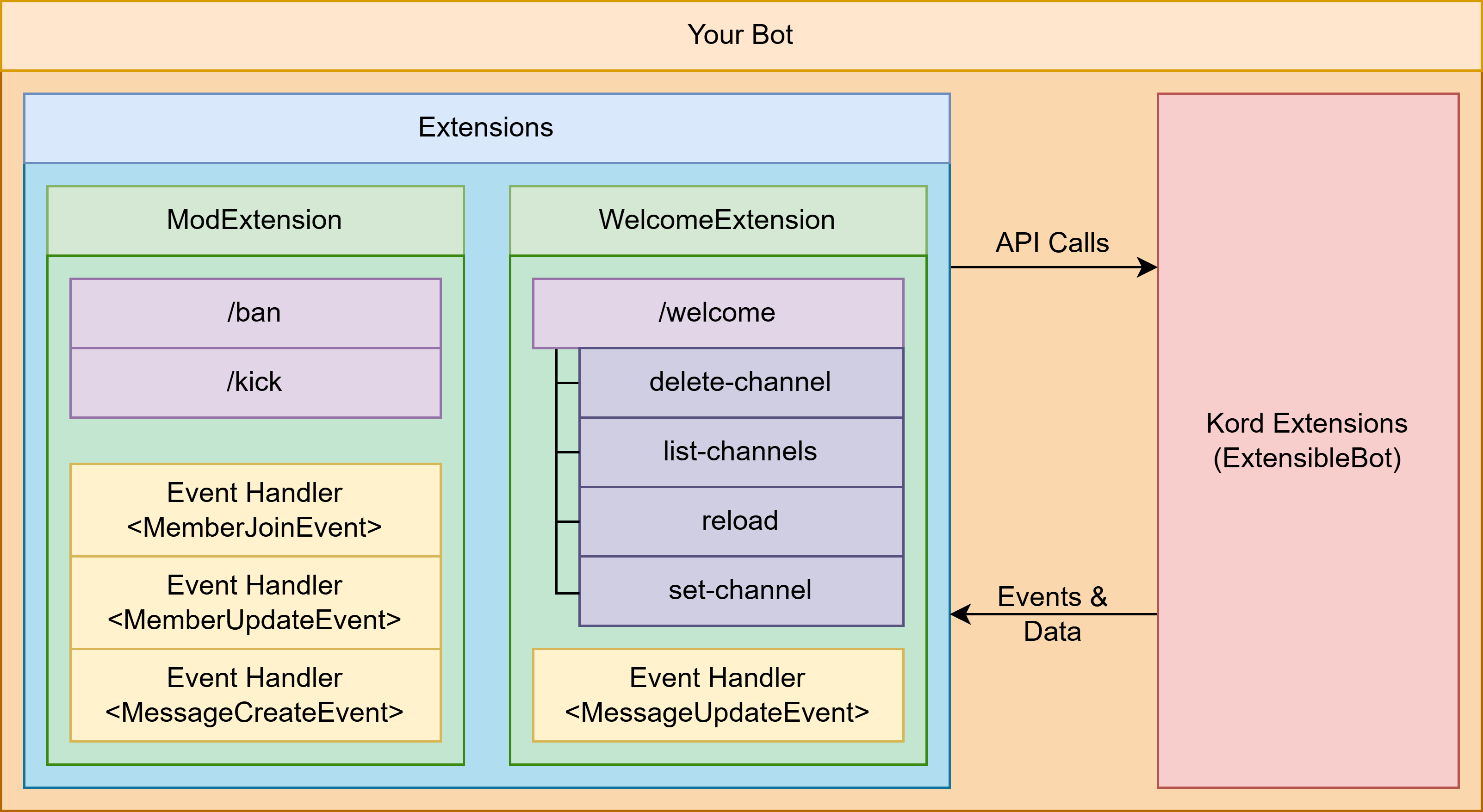
Before getting started, it is important to understand how you should structure your bot. Kord Extensions is an opinionated framework, and designing to the expected structure will help you keep things organised.
Configuration
The first thing you'll need to figure out is your bot's configuration.
Start by creating an ExtensibleBot object using the provided builder:
val bot = ExtensibleBot(env("TOKEN")) {
  // ...
}
For more information on this builder and the settings you can configure, please read the configuration section.
Starting
Next, consider how you want the bot to be started:
- If you're creating the bot in a suspending function and want it to block the coroutine, call
bot.start(). - If you're not in a suspending function, or you want the bot to run asynchronously, you can launch the bot within
Kord's coroutine scope using
bot.startAsync().
/**
* Block the suspending function's execution.
* The function won't return until the bot dies.
*/
suspend fun main() {
  val bot = ExtensibleBot(env("TOKEN")) {
    // ...
  }

  bot.start()
}

/**
* Launch the bot in Kord's coroutine scope.
* The function will return immediately.
*/
fun startBot() {
  val bot = ExtensibleBot(env("TOKEN")) {
    // ...
  }

  bot.startAsync()
}
Adding Functionality
While some other Kotlin Discord bot frameworks provide a lightweight DSL, Kord Extensions requires that you split your bot's functionality into distinct units. We call these Extensions, and they are the core building blocks for your bots.
However, as you'll see, this isn't the only unit available to you.
Extensions
Extensions exist as units that group similar functionality together. They contain commands, command arguments, event handlers, and other things — and these should relate to each other.
For example, let's say your bot needs to have some moderation features, and you'd also like it to be able to notify a channel when your favourite streamer goes live. We recommend splitting this functionality into two extensions, as follows:
ModerationExtension
This extension would contain all moderation-related commands, event handlers, and other features.
- Commands:
/ban/kick/mute
- Event Handlers:
MemberJoinEventMemberLeaveEventMemberUpdateEventMessageCreateEventMessageDeleteEventMessageUpdateEvent
- Scheduled Jobs:
expireMutesJob
StreamExtension
This extension would contain all stream-related commands, event handlers, and other features.
- Commands:
/streamsubscribeunsubscribe
- Scheduled Jobs:
streamCheckJob
For more information on writing your own extensions, see the Extensions page
Plugins
Plugins are a higher-level encapsulation unit, specifically designed to allow you to distribute extensions for other
people to use.
These are .jar or .zip files that users can place in their plugins/ directory, to be automatically loaded by
their bots.
Plugins should avoid making assumptions about the bot they're running under and should use Kord Extensions' various abstracted APIs for things like data storage.
For example, let's say you want to design a plugin containing various Minecraft-related extensions, including notifying channels about new Minecraft versions, and allowing modders to look up function names in various mappings sets:
MinecraftPlugin
MinecraftMappingsExtension
- Commands:
/class/method/property
- Scheduled Jobs:
cleanupMappingsJob
MinecraftVersionExtension
- Commands:
/minecraftlookup-versionsubscribeunsubscribe
- Scheduled Jobs:
newVersionJob
Packaging & Distribution
We strongly recommend against using the popular Gradle Shadow plugin, as its recent new developers appear to be vibe coders, and we expect a future tainted by slopsquatting, and other bugs and security issues.
Instead, if you can, please stick with Gradle's Distribution plugin, or the equivalent for your build system.
You should package your Kord Extensions bot in a .tar- or .zip-based distribution bundle,
like the bundles generated by the
Gradle Distribution plugin.
These bundles contain a bin/ directory with easy launch scripts, and a lib/ directory containing your bot's
JAR alongside the JARs containing its dependencies.
If you're using Docker, you can copy the distribution bundle into your image, extract it, and launch your bot via checking it for hints if you need help.